The queue explorer
built for developers
Browse queues, inspect messages, validate against schemas, and rescue dead-letter messages — all from one app. Like a database explorer, but for message brokers.
macOS · Windows · Linux
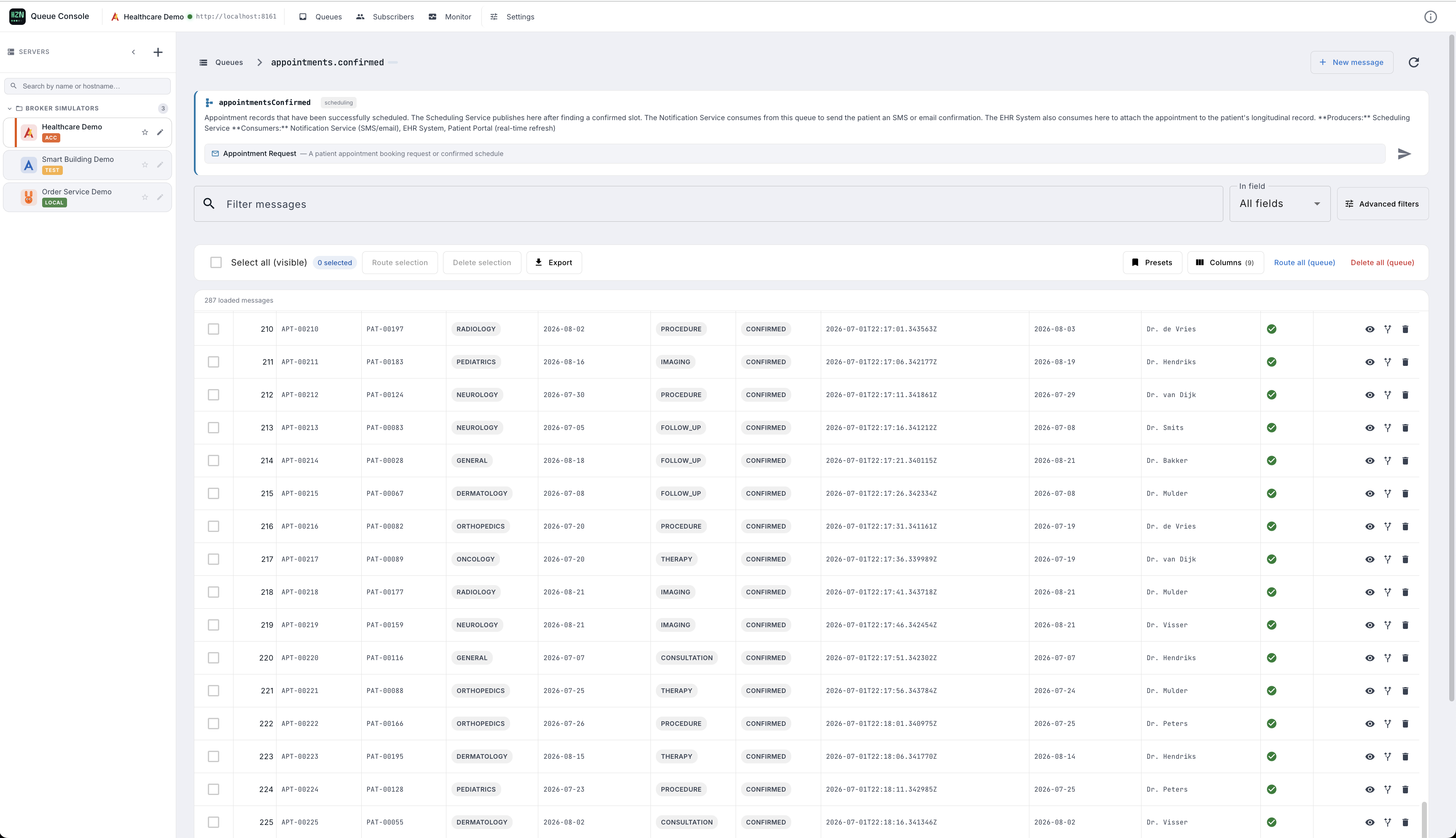
Everything you need to work with queues
Stop guessing what's in your queues. HZN Queue Console gives you full visibility and control — without writing a single line of code.
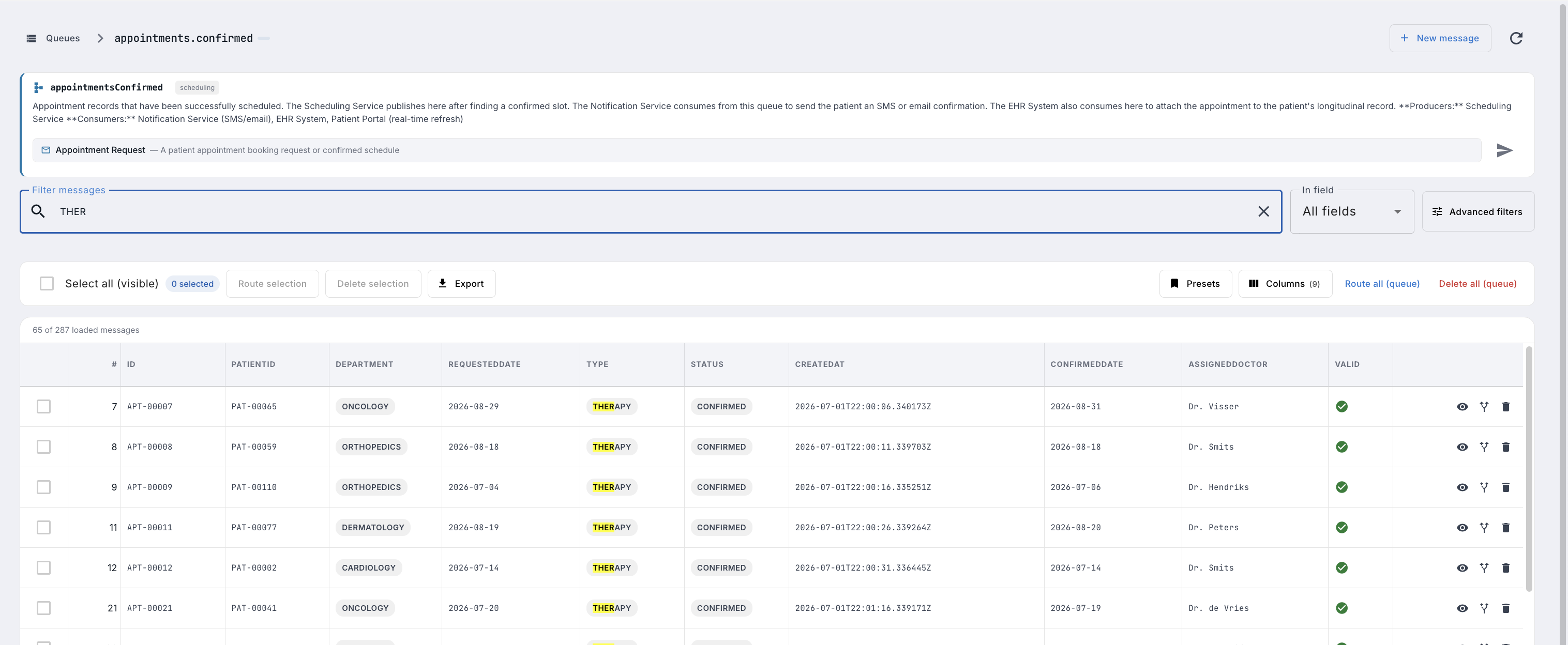
Find any message in seconds
Search across payload content, headers, correlation IDs, routing keys — all without writing a single API call. Filters update results as you type.
- Full-text payload search across all messages
- Filter by correlationId, messageId, routingKey
- Match any AMQP / JMS header key + value
- Combine multiple filters simultaneously
- Advanced schema-aware field filters
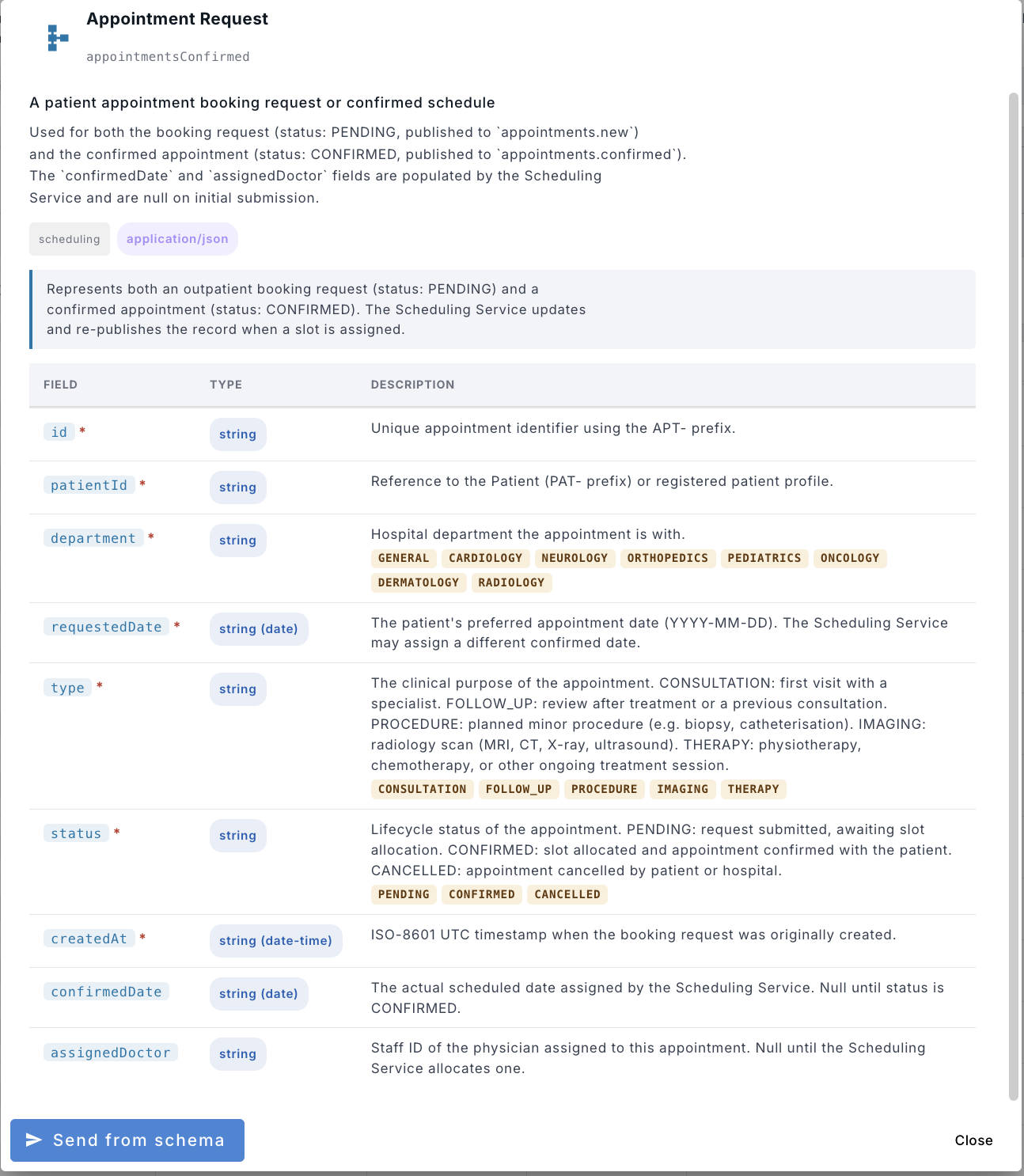
Validate messages against your AsyncAPI spec
Import your AsyncAPI 2.x or 3.x specification and validate messages in real time — both when browsing existing messages and before publishing new ones.
- Import AsyncAPI 2.x and 3.x specs
- Real-time validation as you compose messages
- Schema violation badges in the message list
- Publish test messages directly from the schema
- Schema lookup across channels and destinations
Edit your AsyncAPI spec without writing YAML
A full editor for your AsyncAPI spec, built into the app. Edit channels, message fields, and bindings as a form — or drop into the YAML source. Both views stay in sync, so you can switch whenever it suits you.
- Visual editor and YAML source, two-way synced
- Per-field types, formats, enums, required flags and descriptions
- Protocol bindings for server, channel, operation and message
- Version history with a diff of what changed
- Pick which saved version the queues validate against
- Export the spec as YAML or as printable PDF documentation


Record live traffic — get a spec for the system nobody documented
Start a recording and let your system run. HZN Queue Console captures every queue and topic on the server at once, then turns what it saw into AsyncAPI channels — field types, enum values, required fields and examples included. Your real queues and their consumers are never touched.
- Records every queue and topic on the server — nothing to open first
- Read-only: no message is taken away from its real consumer
- Generate a channel from captured samples in one click
- Inferred types, formats, enums, required fields and examples
- Broker delivery headers (x-death, x-delivery-count…) left out
- Re-record later and merge — conflicts default to keeping your edits
Rescue dead-letter messages in clicks
Route messages between queues without writing code. Replay failed events, move DLQ messages back to the source queue, or copy messages for inspection.
- Bulk-select and route to any destination
- One-click DLQ → source queue replay
- Route with modified payload or headers
- Copy messages without removing from source
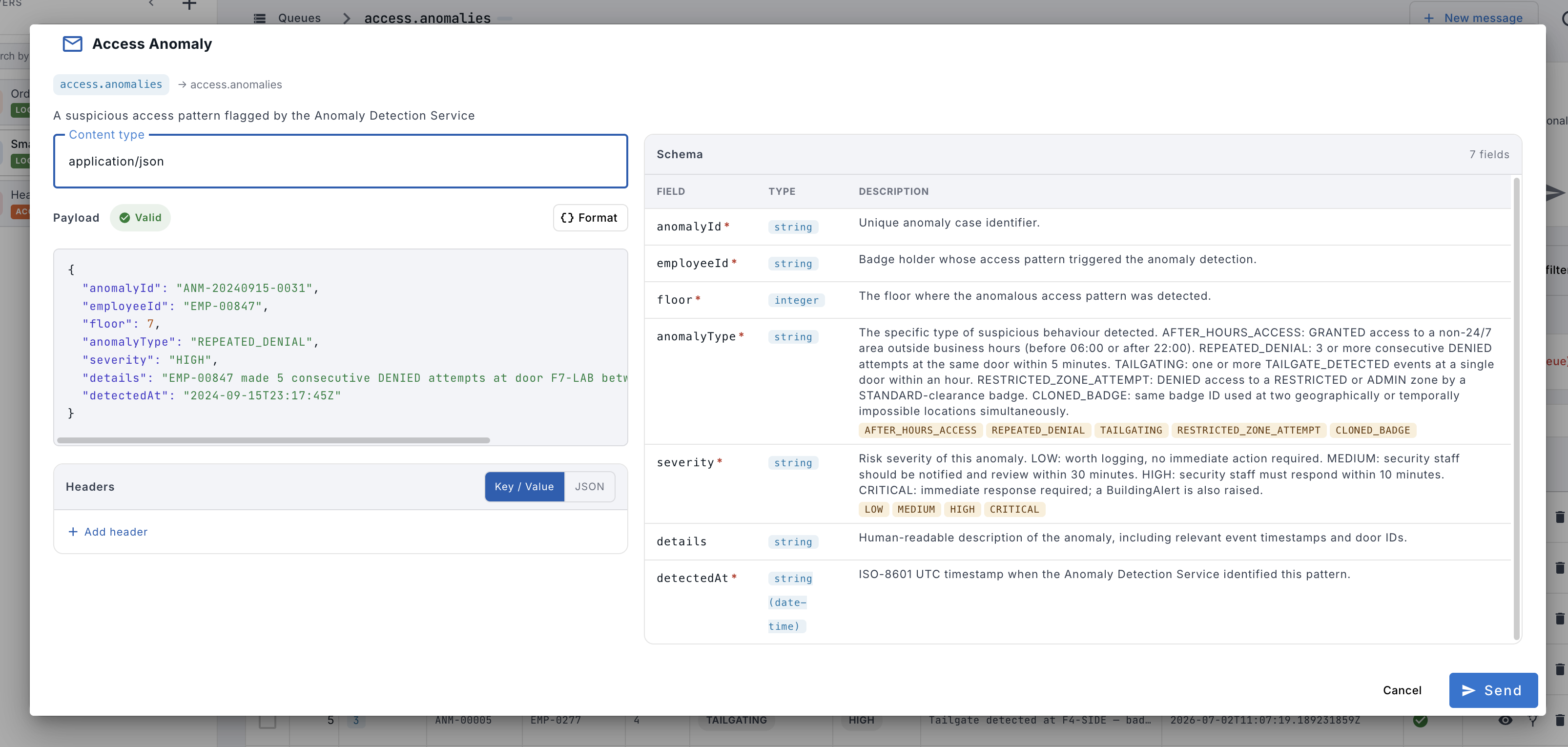
Compose and validate messages before sending
Write messages with live schema validation from your AsyncAPI spec. The schema panel shows every field, type, and allowed enum value — so you publish correct messages every time. Schema validation requires RabbitMQ with the management plugin enabled.
- Side-by-side schema reference while composing
- Live validation with inline error tooltips
- Send from schema with pre-filled template
- Header key/value editor with JSON toggle
- Publish to queues on any connected broker
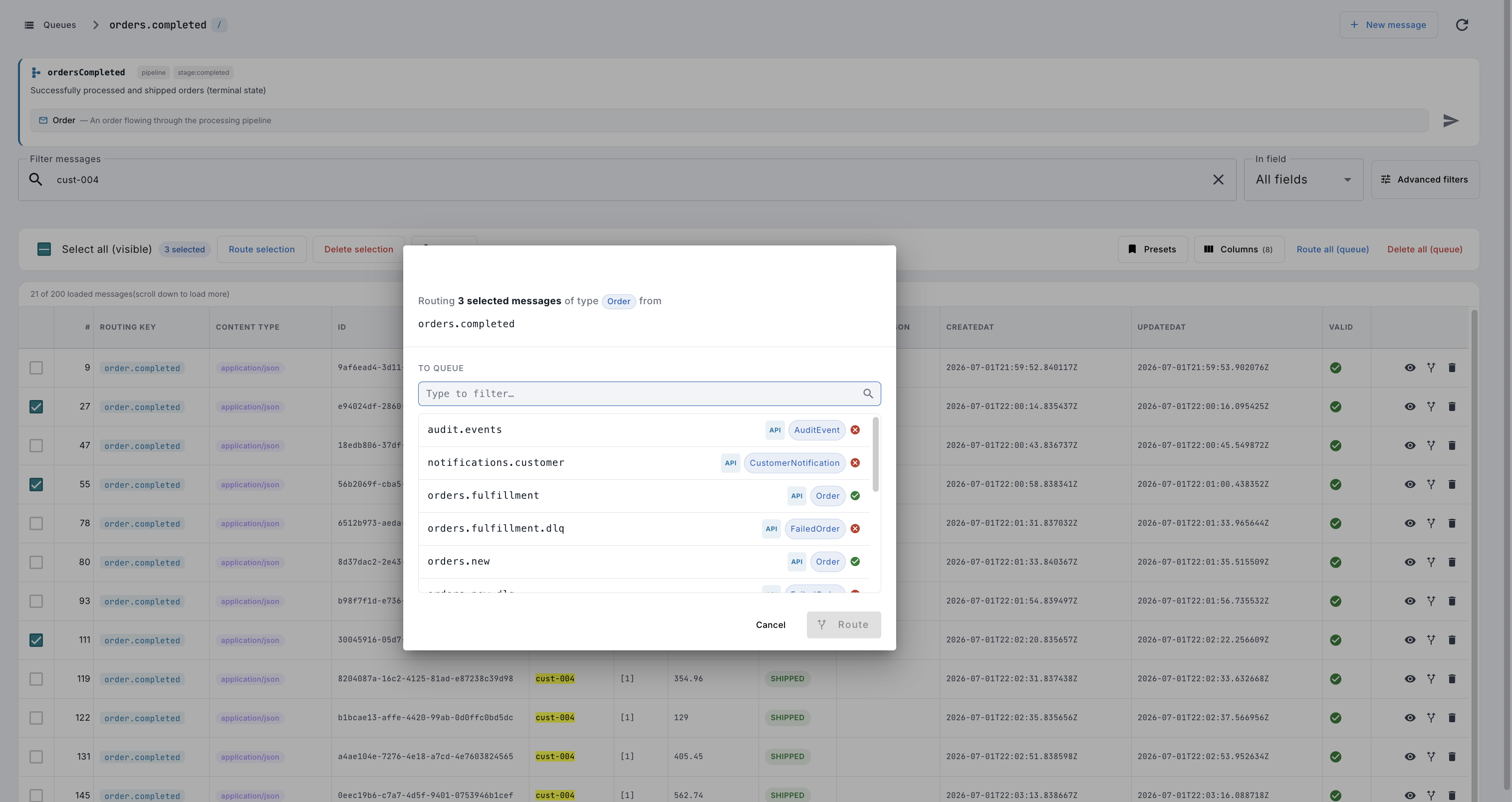
Route one message or thousands — no code needed
Select a single message or an entire filtered result set and move them to any queue in one click. The schema-aware queue picker shows compatible destinations and highlights type mismatches before you confirm.
- Route individual messages via the inline action button
- Bulk-select across filtered results and route in one step
- Schema-aware destination picker — see compatible queues
- Keep a copy in the source queue or move destructively
- Works across all supported brokers and vhosts
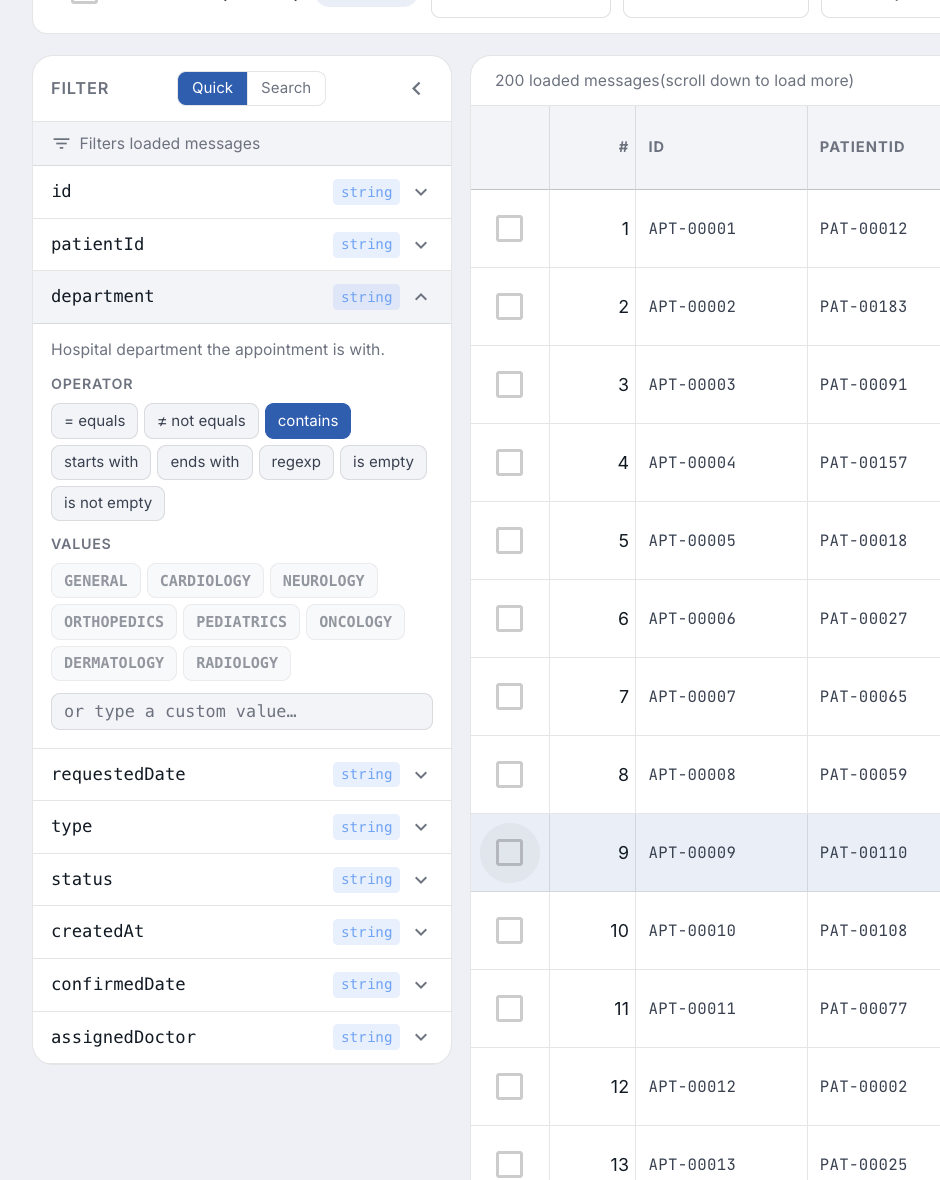
Filter by any field, with any operator
Go beyond simple text search. The advanced filter panel exposes every payload field with schema-aware operators and pre-filled enum values — no guessing, no typing field names by hand.
- Per-field operators: equals, contains, starts with, regexp…
- Schema-aware value suggestions from your AsyncAPI spec
- Filter on nested payload fields and message headers
- Combine multiple field filters simultaneously
- Quick mode for fast text search, Search mode for precision
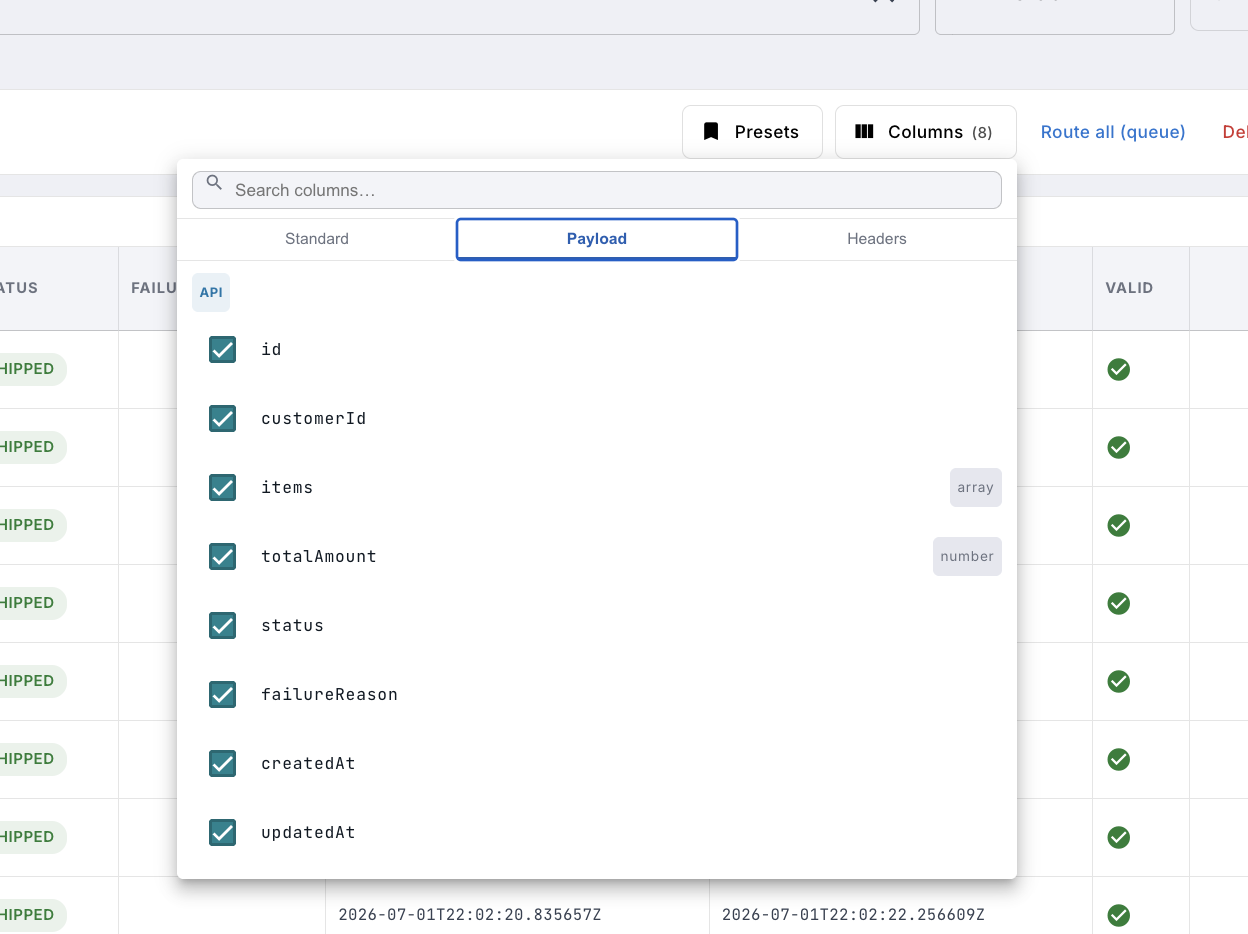
Browse JSON payloads as structured table rows
Every JSON field in your messages becomes a sortable, filterable table column. Pick exactly which fields to show, save column presets per queue, and scan hundreds of messages at a glance — no clicking into each one.
- JSON payload fields as table columns — automatically
- Toggle columns from your AsyncAPI schema or raw payload
- Save and switch named column presets per queue
- Schema-annotated type badges (string, number, array…)
- Works across RabbitMQ, ActiveMQ Classic and Artemis
And much more
Version 1.0 is here
Our first release is out now for macOS, Windows and Linux. Start with a free 14-day trial — no account or credit card required.
Download 1.0
Buying a license? Use code FIRSTRELEASE30 for 30% off — limited number of customers.